import io
import os
import sys
import subprocess
from pathlib import Path

sys.path.append(
    subprocess.check_output(["grass", "--config", "python_path"], text=True).strip()
)

import pandas as pd

import grass.script as gs
import grass.jupyter as gj
from grass.tools import ToolsEstimating infiltration from soil survey data for overland flow modeling
Python
hydrology
soil
raster
intermediate
Use the ROSETTA pedotransfer model to turn USDA SSURGO soil texture into a saturated hydraulic conductivity map, then drive SIMWE overland flow simulations with it.
Introduction
In this tutorial, we will estimate soil infiltration from USDA soil survey data and use it to drive overland flow simulations with the SIMWE model at a 52 ha research site in Raleigh, North Carolina.
r.sim.water accepts infiltration two ways: by setting the rainfall excess rate, where rainfall excess is rainfall - infiltration, or by setting the infiltration rate in mm/hr applied to water already crossing a cell. Both are commonly set to a single value for an entire study area through the rain_value and infil_value parameters, or defined by a spatially variable raster through rain and infil.
During this tutorial we approximate the infiltration rate (infil) using the USDA SSURGO soil survey dataset, which supplies texture, bulk density, and horizon depths. From those measurements we estimate saturated hydraulic conductivity (Ksat) with a pedotransfer function (ROSETTA). To do this we will follow the steps outlined below.
- Import USDA SSURGO soil texture and Ksat with r.in.ssurgo
- Estimate Ksat with r.soils.rosetta, which implements the ROSETTA pedotransfer model
- Run r.sim.water three times, with a single infiltration value, with the estimated Ksat field, and with the Ksat SSURGO reports directly
Additional concepts covered in this tutorial:
- Downloading and initializing a published GRASS sample project
- Querying the Soil Data Access web service from the computational region
- Depth-weighted aggregation of soil horizon data
- Deriving Manning’s n from land cover
- Comparing simulation runs that differ in one input
The study site is the North Carolina State University Sediment and Erosion Control Research and Education Facility (SECREF). The data come from a GRASS sample dataset assembled for SIMWE work [4].
NoteHow to run this tutorial?
This tutorial is prepared to be run in a Jupyter notebook locally or using services such as Google Colab. You can download the notebook here.
If you are not sure how to get started with GRASS, check out the tutorials Get started with GRASS & Python in Jupyter Notebooks and Get started with GRASS in Google Colab.
For the empirical alternative to this workflow, the SIMWE parallelization tutorial derives runoff from the SCS Curve Number method instead.
Setup
Start with importing Python packages. To import the grass package, you need to tell Python where the GRASS Python package is (can be skipped for some environments).
r.soils.rosetta runs the offline rosetta-soil package when it is installed and falls back to a web API when it is not. Install it to keep the run reproducible and to enable the uncertainty outputs.
The plots later in the tutorial use pandas, seaborn, and matplotlib.
!pip install rosetta-soil pandas seaborn matplotlibThe maps below place their legend outside the map frame. d.legend draws inside the frame, so each figure widens the computational region with RegionManager and draws the legend into the empty map that creates.
Show the figure settings
FONT = "OpenSans-Regular"

# Adding 150 m to the south of the 750 m region puts the legend in the bottom
# 150 / 900 = 16.7% of the frame. Blank that strip so vectors do not run into it.
BLANK = """color 240:240:241
polygon
 0 0
 100 0
 100 16.7
 0 16.7
"""

# 400 m added to the west of the 700 m region is the left 36.4% of the frame
BLANK_WEST = """color 240:240:241
polygon
 0 0
 36.4 0
 36.4 100
 0 100
"""
Download the sample dataset
The SECREF project is a complete GRASS project in EPSG:6542 (NAD83(2011) / North Carolina, meters) at 1 m resolution. We download it from Zenodo and unpack it.
import urllib.request
import zipfile

url = (
    "https://zenodo.org/api/records/23017720/files/"
    "secref_northcarolina_usa_epsg6542.zip/content"
)
grassdata = Path("grassdata")
grassdata.mkdir(exist_ok=True)

urllib.request.urlretrieve(url, "secref.zip")
with zipfile.ZipFile("secref.zip") as archive:
    archive.extractall(grassdata)
The download is about 24 MB. We will work in a new mapset so that the published PERMANENT mapset stays as distributed.
mapset_path = grassdata / "secref_northcarolina_usa_epsg6542" / "work"
gs.create_mapset(mapset_path)
session = gj.init(mapset_path)
tools = Tools()
With a session running we can install the two addons this tutorial uses.
tools.g_extension(extension="r.in.ssurgo")
tools.g_extension(extension="r.soils.rosetta")
The project contains six rasters and three vectors:
Show the table code
pd.DataFrame(
    [
        {
            "type": kind,
            "maps": ", ".join(
                m["name"]
                for m in tools.g_list(
                    type=kind, mapset="PERMANENT", format="json"
                ).json
            ),
        }
        for kind in ["raster", "vector"]
    ]
)| type | maps |
|---|---|
| raster | elevation, landcover, naip.1, naip.2, naip.3, naip.4 |
| vector | roads, soils, streams |
We set the computational region to the elevation map. Everything that follows inherits this region, 700 by 750 cells at 1 m.
Show the table code
tools.g_region(raster="elevation")

region = tools.g_region(flags="p", format="json").json
pd.DataFrame(
    [{"setting": "CRS", "value": region["crs"]["name"]}]
    + [
        {"setting": key, "value": region[key]}
        for key in ["north", "south", "west", "east",
                    "nsres", "ewres", "rows", "cols", "cells"]
    ]
)| setting | value |
|---|---|
| CRS | NAD83(2011) / North Carolina |
| north | 220750 |
| south | 220000 |
| west | 638300 |
| east | 639000 |
| nsres | 1 |
| ewres | 1 |
| rows | 750 |
| cols | 700 |
| cells | 525000 |
The study area
SECREF is on a low Piedmont ridge draining to two small streams. The 0.6 m USDA National Agriculture Imagery Program (NAIP) imagery shows the research plots, gravel access roads, and wooded margins.
Show the figure code
site = gj.Map(width=900, font=FONT, use_region=True)
site.d_rgb(red="naip.1", green="naip.2", blue="naip.3")
site.d_vect(map="streams", color="30:120:220", width=2)
site.d_barscale(
    at=(4, 7),
    flags="n",
    fontsize=18,
    length=200, units="meters",
    style="down_ticks",
    color="white", bgcolor="none",
    width_scale=1.5, font="OpenSans-Bold"
)
site.show()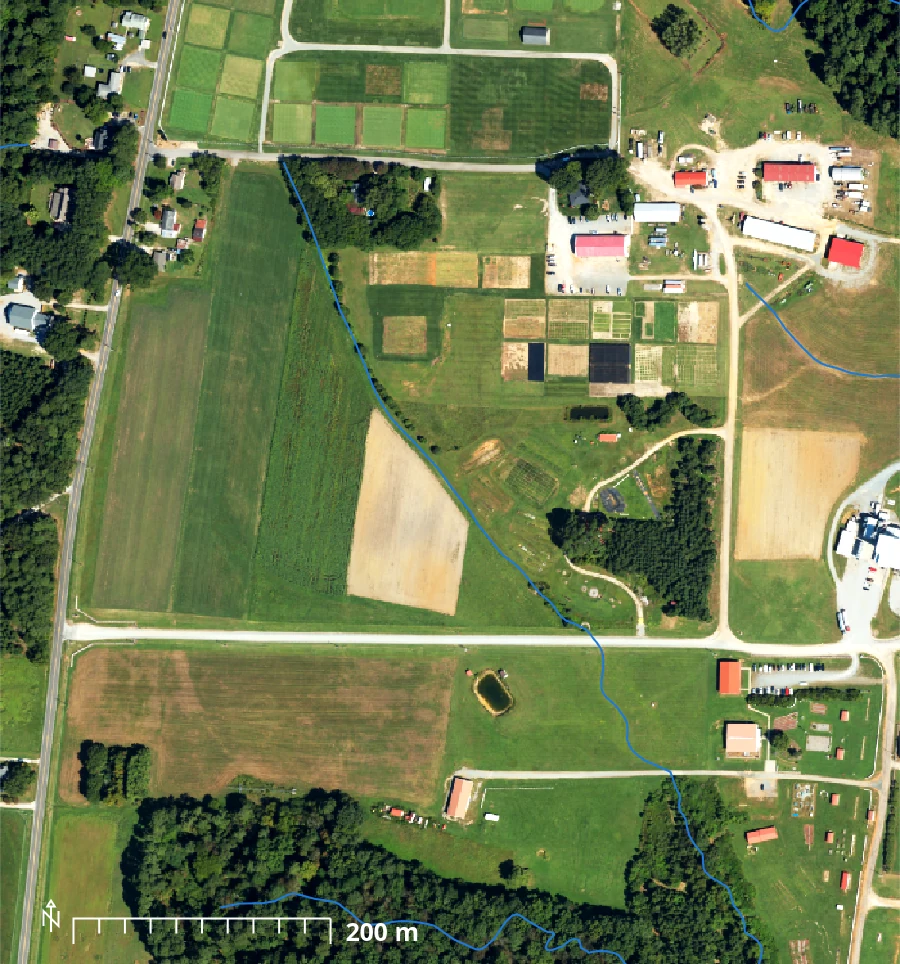
Relief across the site spans 29 m, from 102.6 m to 131.6 m. We create a shaded relief map with r.relief and use it as the base for the maps that follow.
Show the figure code
tools.r_relief(input="elevation", output="relief", zscale=2)
tools.r_colors(map="elevation", color="elevation")

with gs.RegionManager(s="s-150"):
    dem = gj.Map(width=900, height=1157, font=FONT, use_region=True)
    dem.d_shade(shade="relief", color="elevation", brighten=30)
    dem.d_vect(map="streams", color="30:120:220", width=2)
    dem.d_graph(stdin=io.StringIO(BLANK))
    dem.d_legend(raster="elevation", title="Elevation (m)", at=(4, 9, 10, 90),
                 flags="st", fontsize=18, title_fontsize=22)
    dem.show()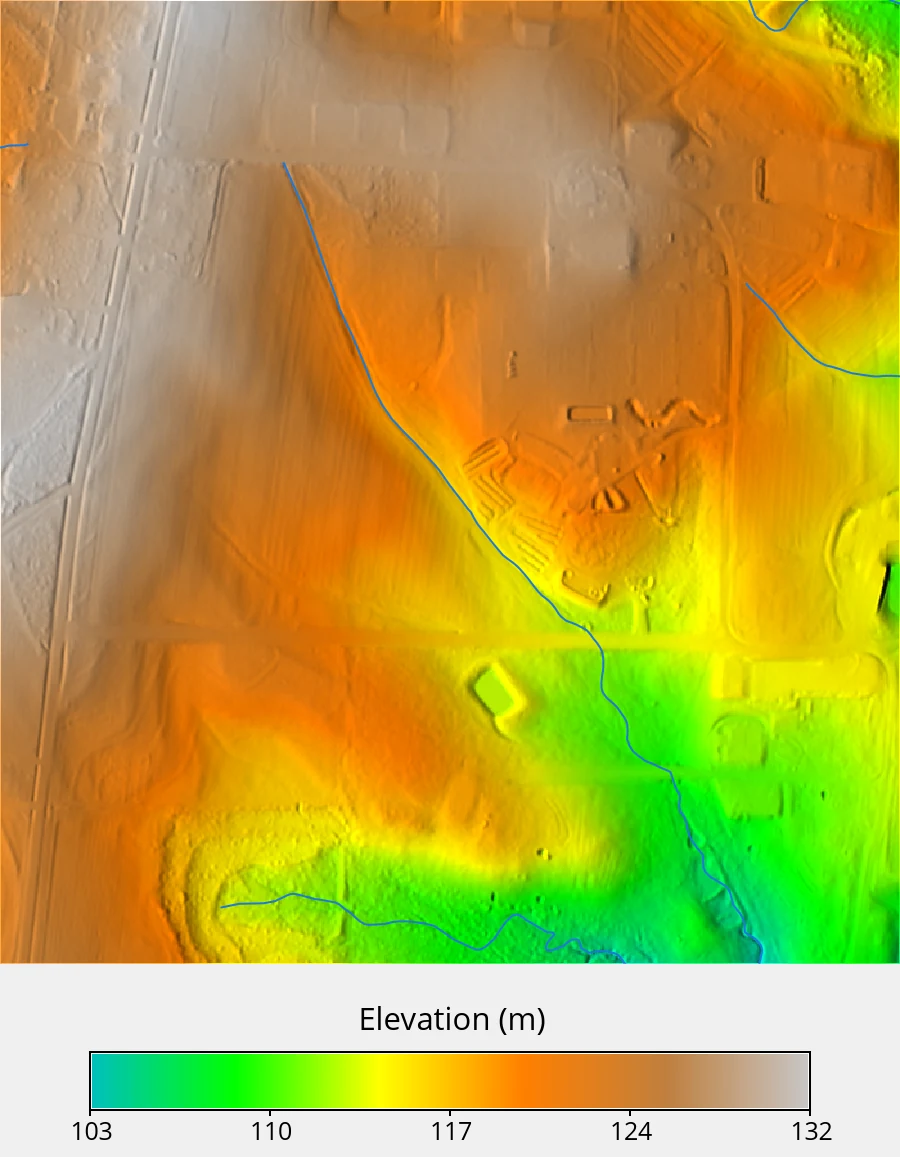
The packaged land cover raster was derived by combining lidar, NAIP imagery, and OpenStreetMap roads. Its six classes (i.e., developed, paved road, compacted road, herbaceous, forest, water) will supply the surface roughness values later.
Show the figure code
# Widen the region 500 m to the west so d.legend has empty map to sit in.
# The widened region is 1200 x 750 m, so the frame keeps that 1.6 aspect.
with gs.RegionManager(w="w-400"):
    lc = gj.Map(width=900, font=FONT, use_region=True)
    lc.d_shade(shade="relief", color="landcover", brighten=35)
    lc.d_graph(stdin=io.StringIO(BLANK_WEST))
    lc.d_legend(raster="landcover", title="Land cover",
        at=(15, 85, 4, 25), flags="nc",
        fontsize=18, title_fontsize=24, bgcolor="none"
    )
    lc.show()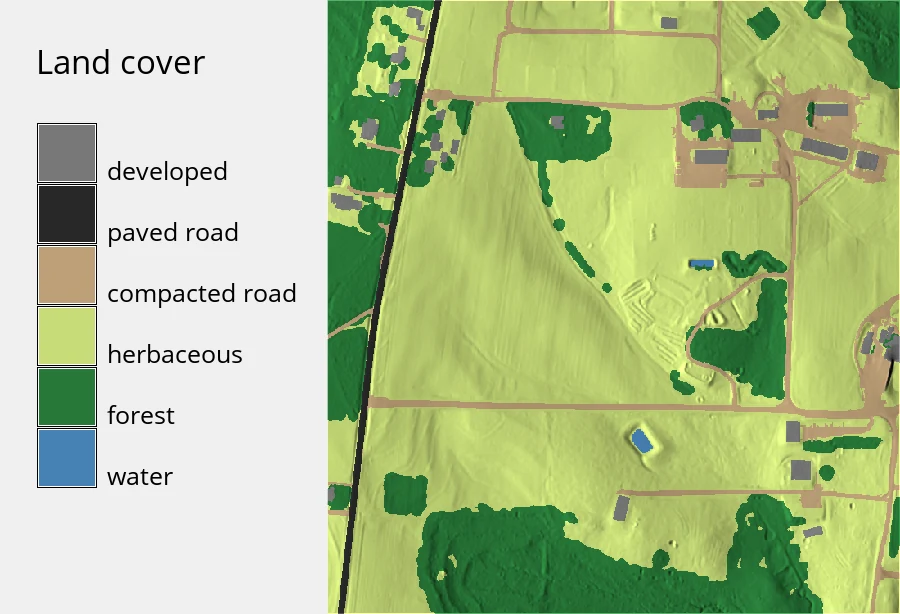
Importing soil texture from SSURGO
The Soil Survey Geographic Database (SSURGO) is the USDA’s detailed soil survey [6]. It is distributed as map unit polygons linked to tables of soil components and horizons, so it needs aggregation before it can be used as raster model input. r.in.ssurgo pulls the survey, aggregates the component and horizon tables over a depth interval, and writes the result as rasters.
When ssurgo_path is left empty, the tool builds an area of interest from the current computational region and queries the Soil Data Access (SDA) web service, so for a 52 ha region no manual download is required.
tools.r_in_ssurgo(
    soils="ssurgo_soils",
    sand="sand",
    silt="silt",
    clay="clay",
    bulk_density="bd",
    ksat_r="ssurgo_ksat_r",
    hydgrp="hydgrp",
    mukey="mukey",
    hzdept_r=0,
    hzdepb_r=25.4,
)
hzdept_r=0 and hzdepb_r=25.4 request a depth-weighted average over the top 25.4 cm (i.e., 10 inches), the layer that governs infiltration during a short storm. The SDA query takes a couple of minutes.
NoteSDA or a local archive?
r.in.ssurgo reads SSURGO two ways. Leaving ssurgo_path empty queries the SDA web service for the current region, which is what we do here. Supplying a local archive instead, either a Web Soil Survey area export or a state-wide gSSURGO database, avoids the network and scales to large areas. The SIMWE parallelization tutorial uses the local mode with a state-wide gSSURGO file. The local mode works best with the duckdb Python package, and falls back to a SQLite backend without it.
The three texture separates (i.e., sand, silt, and clay) are the required ROSETTA inputs. Bulk density is optional and improves the estimate.
All three share one 0 to 70% color table, so the panels show their relative size as well as their internal variation.
Show the figure code
rules = """0 241:230:218
12 222:200:177
23 202:171:138
35 177:140:99
47 149:109:64
58 118:80:36
70 84:53:15
nv 255:255:255
"""
for name in ["sand", "silt", "clay"]:
    tools.r_colors(map=name, rules="-", stdin=io.StringIO(rules))
    m = gj.Map(width=700, height=750, font=FONT)
    m.d_shade(shade="relief", color=name, brighten=25)
    m.show()

# one legend for all three, on its own frame
leg = gj.Map(width=1200, height=150, font=FONT)
leg.d_legend(raster="sand", title="Fraction of mineral soil (%)", range=(0, 70),
             at=(30, 55, 6, 94), flags="st", fontsize=20, title_fontsize=24)
leg.show()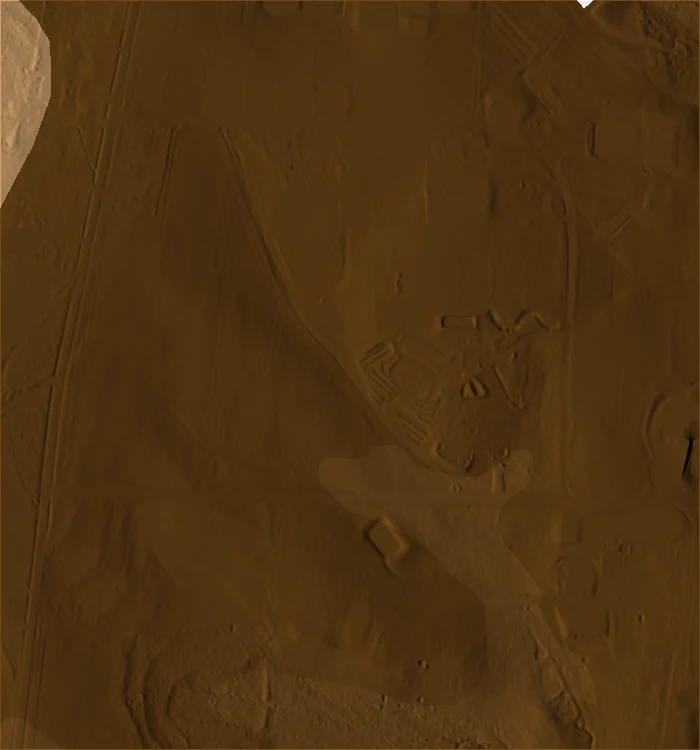
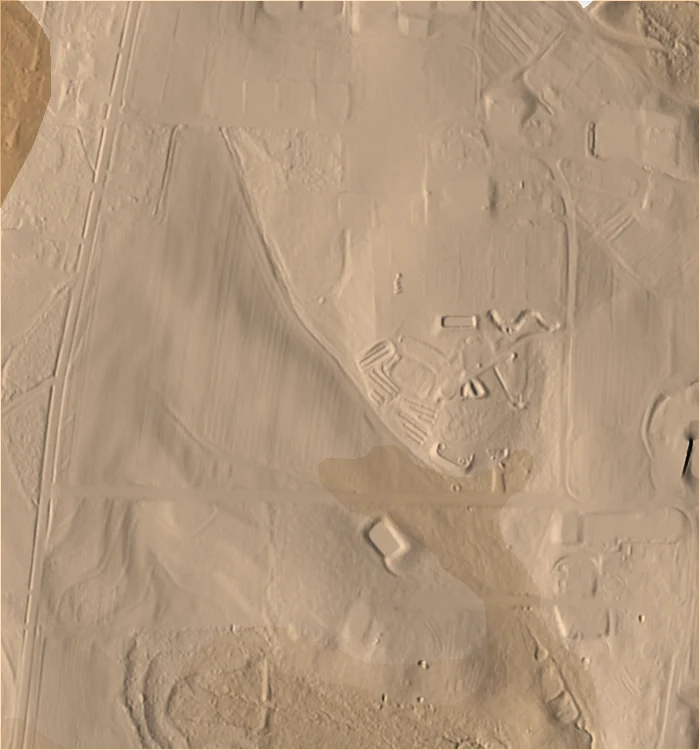

The site averages 67% sand and 12% clay. The texture rasters are piecewise constant because SSURGO reports one value per map unit, and seven map units cover the entire site (15 polygons, several of which share a map unit key).
Show the table code
rows = []
for name in ["sand", "silt", "clay", "bd"]:
    s = tools.r_univar(map=name, format="json")
    rows.append({"raster": name, "min": s["min"], "max": s["max"], "mean": s["mean"]})

pd.DataFrame(rows).round(2)| raster | min | max | mean |
|---|---|---|---|
| sand | 40.00 | 68.00 | 67.20 |
| silt | 20.00 | 37.00 | 20.92 |
| clay | 10.00 | 23.00 | 11.89 |
| bd | 1.38 | 1.58 | 1.58 |
Estimating hydraulic parameters with ROSETTA
ROSETTA is a hierarchical pedotransfer model that estimates the Mualem-van Genuchten parameters from soil texture [1, 5]. r.soils.rosetta applies it cell by cell using the recalibrated Rosetta3 coefficients [8].
NoteWhat is a pedotransfer function?
Measuring saturated hydraulic conductivity in the field is slow and expensive, so it is rarely mapped over large areas, while texture is recorded everywhere a soil survey goes. A pedotransfer function is a statistical model fit to soils where both quantities were measured, and it estimates the expensive property from the inexpensive one. ROSETTA was trained on roughly 2000 soil samples and estimates five parameters: residual and saturated water content (theta_r, theta_s), the van Genuchten shape parameters alpha and n, and saturated hydraulic conductivity (ksat).
The combination of inputs supplied selects the model version. Texture alone gives model 2, adding bulk density gives model 3, and adding water content at 33 kPa and 1500 kPa gives models 4 and 5. We have bulk density, so this is a model 3 run. Only the outputs that are named get computed.
tools.r_soils_rosetta(
    sand="sand",
    silt="silt",
    clay="clay",
    bulk_density="bd",
    ksat="ksat_rosetta",
    theta_s="theta_s",
    version=3,
    ksat_units="mm_per_hour",
)
ROSETTA reports conductivity in cm/day and r.sim.water expects mm/hr, so ksat_units="mm_per_hour" has the tool convert the output.
Show the figure code
ksat_rules = """0% 205:226:251
20% 158:197:244
40% 109:167:236
60% 57:135:229
80% 28:92:171
100% 13:54:107
nv 255:255:255
"""
tools.r_colors(map="ksat_rosetta", rules="-", stdin=io.StringIO(ksat_rules))

with gs.RegionManager(s="s-150"):
    m = gj.Map(width=900, height=1157, font=FONT, use_region=True)
    m.d_shade(shade="relief", color="ksat_rosetta", brighten=25)
    m.d_graph(stdin=io.StringIO(BLANK))
    m.d_legend(raster="ksat_rosetta", at=(4, 9, 10, 90), flags="st",
               title="Saturated hydraulic conductivity (mm/hr)",
               fontsize=18, title_fontsize=22)
    m.show()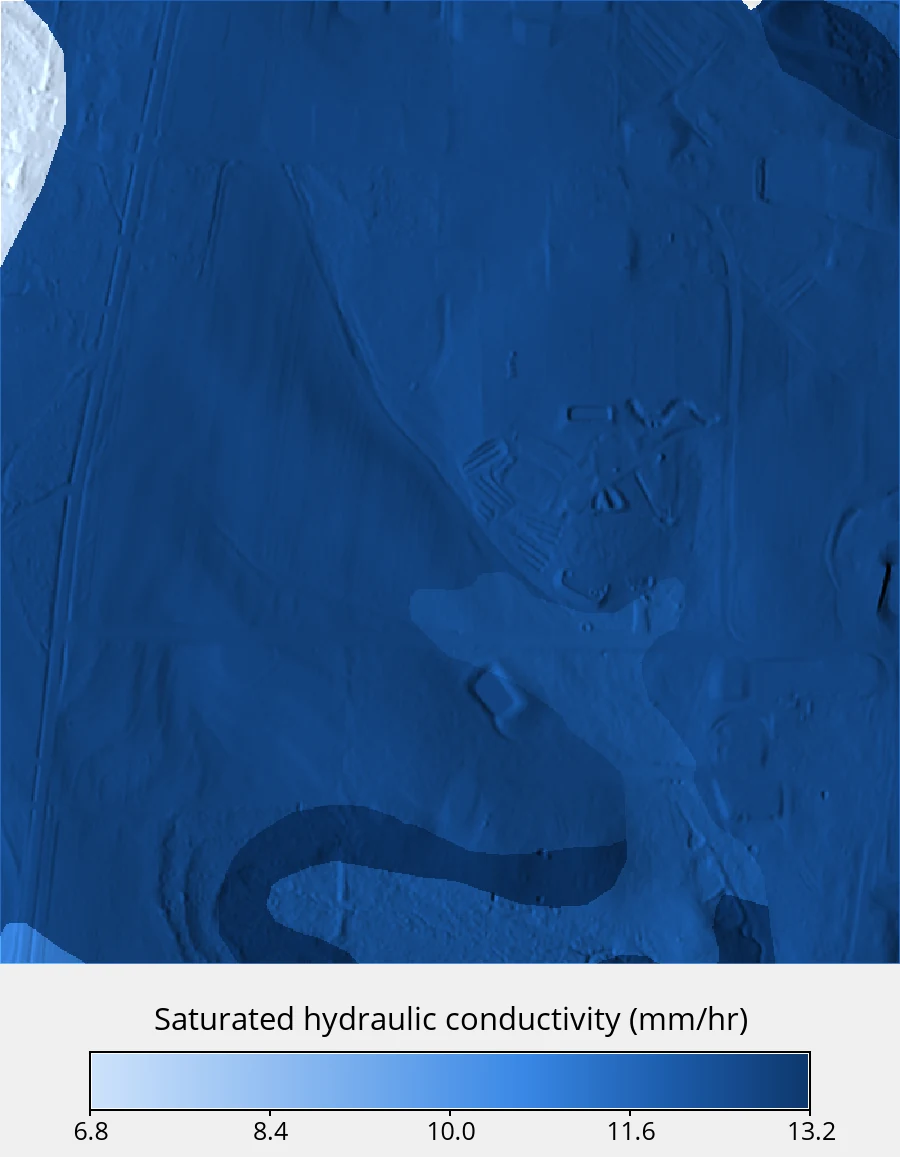
Estimated conductivity ranges from 6.8 to 13.2 mm/hr. The lowest values fall on the map unit carrying 23% clay, which follows the drainage line through the southern half of the site. Saturated water content (i.e., the pore space available to hold water) ranges from 0.36 to 0.41 cm³/cm³.
Show the figure code
theta_rules = """0% 220:240:236
17% 176:218:209
33% 134:192:181
50% 96:164:152
67% 60:132:121
83% 31:101:91
100% 12:70:62
nv 255:255:255
"""
tools.r_colors(map="theta_s", rules="-", stdin=io.StringIO(theta_rules))

with gs.RegionManager(s="s-150"):
    m = gj.Map(width=900, height=1157, font=FONT, use_region=True)
    m.d_shade(shade="relief", color="theta_s", brighten=25)
    m.d_graph(stdin=io.StringIO(BLANK))
    m.d_legend(raster="theta_s", title="Saturated water content (cm3/cm3)",
               at=(4, 9, 10, 90), flags="st", fontsize=18, title_fontsize=22)
    m.show()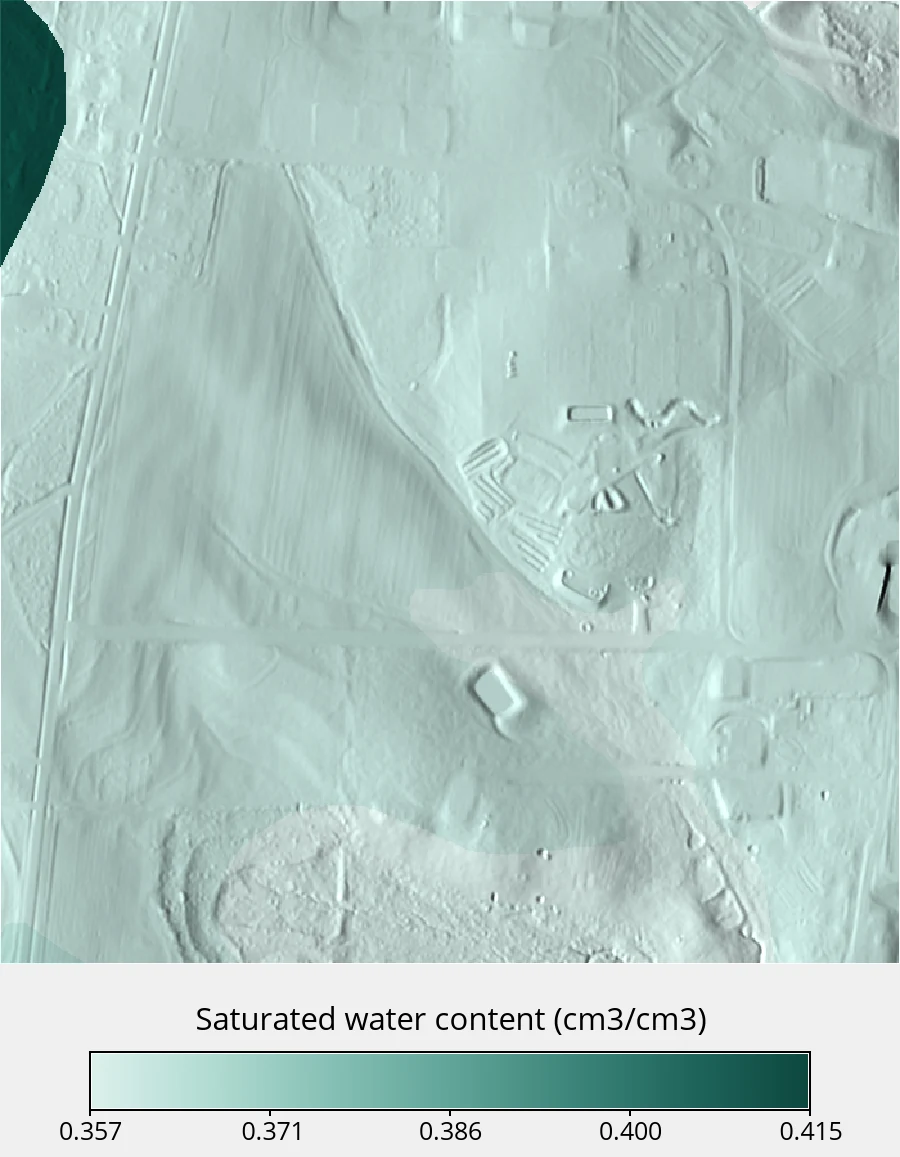
Comparing against the Ksat reported by SSURGO
SSURGO reports a representative saturated hydraulic conductivity of its own, imported above as ssurgo_ksat_r. We compare the two on a shared absolute color scale.
Show the table code
rows = []
for name in ["ksat_rosetta", "ssurgo_ksat_r"]:
    s = tools.r_univar(map=name, format="json")
    rows.append({"raster": name, "min": s["min"], "max": s["max"], "mean": s["mean"]})

pd.DataFrame(rows).round(2)| raster | min | max | mean |
|---|---|---|---|
| ksat_rosetta | 6.79 | 13.24 | 12.41 |
| ssurgo_ksat_r | 32.40 | 100.80 | 99.84 |
Both panels share one absolute color table, log-spaced over the NRCS class range.
Show the figure code
rules = """3 205:226:251
6 158:197:244
12 109:167:236
25 57:135:229
50 28:92:171
110 13:54:107
nv 255:255:255
"""
for name in ["ksat_rosetta", "ssurgo_ksat_r"]:
    tools.r_colors(map=name, rules="-", stdin=io.StringIO(rules))
    m = gj.Map(width=700, height=750, font=FONT)
    m.d_shade(shade="relief", color=name, brighten=22)
    m.show()

leg = gj.Map(width=1200, height=150, font=FONT)
leg.d_legend(raster="ksat_rosetta", range=(3, 110), at=(30, 55, 6, 94), flags="stl",
             title="Saturated hydraulic conductivity (mm/hr)",
             fontsize=20, title_fontsize=24)
leg.show()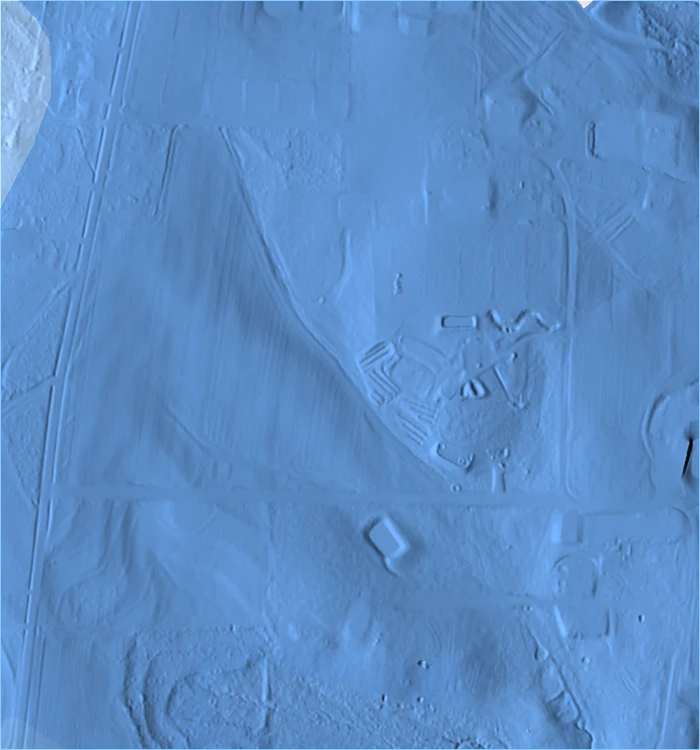
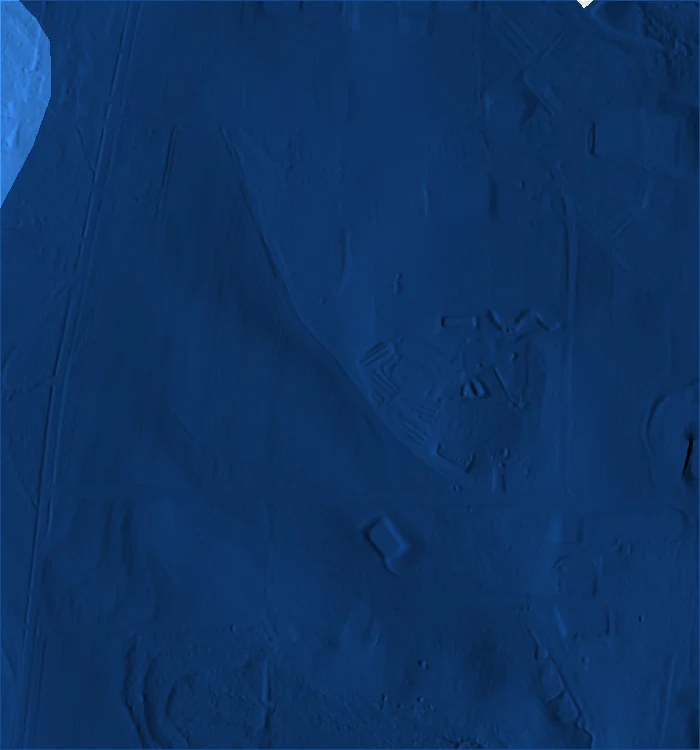

SSURGO’s representative value averages about eight times higher than the ROSETTA estimate. These differences are reflective of the different methods used to produce the estimates, as neither represent direct field measurments of the site. SSURGO’s is a soil scientist’s estimate for the component, anchored to field observation and conductivity class ranges, while ROSETTA’s is a regression on texture and bulk density.
ImportantPedotransfer estimates carry uncertainty
Saturated hydraulic conductivity varies over orders of magnitude and is difficult to constrain, so a large spread between two estimates is not unusual. Running r.soils.rosetta with the -u flag produces per-parameter standard deviation maps.
ROSETTA is also nonlinear, so applying it to depth-averaged texture does not give the same result as applying it per horizon and averaging afterward. We requested texture already averaged over the top 25.4 cm, so the estimate inherits that approximation.
Preparing the SIMWE inputs
SIMWE solves the shallow water flow equation using a path sampling (i.e., walker-based) method [2, 3]. Besides elevation it needs a surface roughness map, a rainfall rate, and an infiltration rate. The partial derivatives of the surface are computed internally.
Manning’s n comes from land cover through the r.manning addon, which ships coefficients for NLCD and ESA WorldCover and takes a code,n rules file for anything else. The SECREF classes are custom, so we supply our own, ranging from 0.011 for pavement to 0.20 for forest floor.
tools.g_extension(extension="r.manning")

rules = """# code,n
1,0.05
2,0.011
3,0.02
4,0.10
5,0.20
6,0.03
"""
rules_file = Path("manning_rules.csv")
rules_file.write_text(rules)

tools.r_manning(
    input="landcover",
    output="manning",
    landcover="custom",
    rules=str(rules_file),
)
Show the figure code
manning_colors = """0.011 142:191:148
0.02 107:165:115
0.03 77:138:87
0.05 54:110:64
0.10 34:83:44
0.2001 19:57:27
nv 255:255:255
"""
tools.r_colors(map="manning", rules="-", stdin=io.StringIO(manning_colors))

with gs.RegionManager(s="s-150"):
    m = gj.Map(width=900, height=1157, font=FONT, use_region=True)
    m.d_shade(shade="relief", color="manning", brighten=35)
    m.d_graph(stdin=io.StringIO(BLANK))
    m.d_legend(raster="manning", title="Manning's n", range=(0.011, 0.2),
               at=(4, 9, 10, 90), flags="stl", fontsize=18, title_fontsize=22)
    m.show()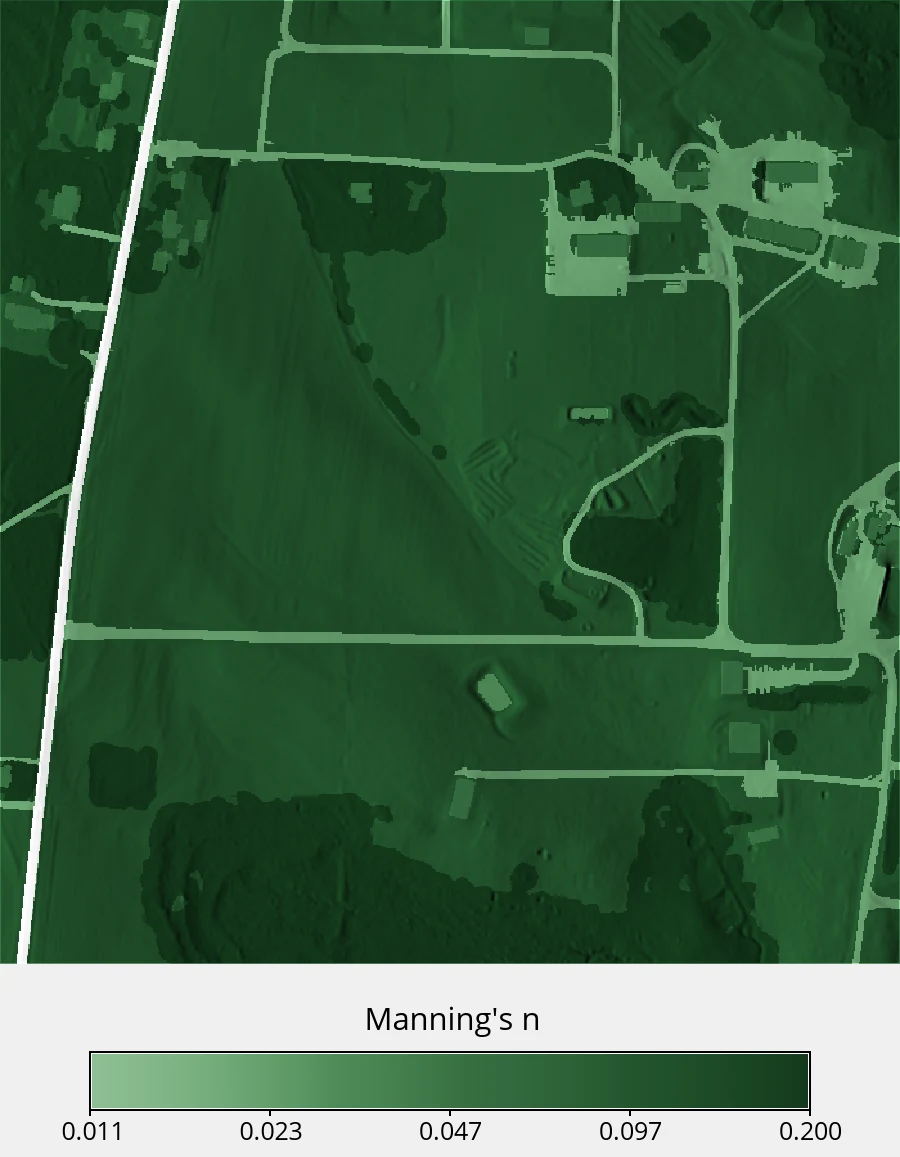
The SSURGO polygons leave 72 cells out of 525,000 without soil data. r.sim.water applies no infiltration where the infil map is NULL, so those cells would shed water as if they were paved. We fill them with the site mean.
tools.r_mapcalc(expression="ksat_fill = if(isnull(ksat_rosetta), 12.4, ksat_rosetta)")Running the simulations
All three runs use a 54 mm/hr rainfall rate held for 60 minutes, approximately a 10-year, 1-hour storm for Raleigh. The infiltration input is the only thing that changes between them.
Warning
rain and infil act at different points
The rain parameter takes the rainfall excess rate (rainfall minus infiltration). The subtraction occurs before the run, so the removed water never enters the flow at all.
infil applies to water that is already moving across a cell, which drinks from it at a fixed rate. That is what captures runoff generated on pavement losing volume as it crosses a lawn downslope, and it is what we use here.
Neither rate responds to the soil filling up. Both stay constant for the whole simulation.
The first run is the baseline a modeler gets with no soil data at all. Leaving infil off defaults it to zero, so every millimeter of rain stays on the surface.
tools.r_sim_water(
    elevation="elevation",
    rain_value=54,
    man="manning",
    depth="depth_noinfil",
    discharge="disch_noinfil",
    duration=60,
    output_step=60,
    random_seed=7,
    nprocs=6,
)
The second run uses the ROSETTA field.
tools.r_sim_water(
    elevation="elevation",
    rain_value=54,
    infil="ksat_fill",
    man="manning",
    depth="depth_rosetta",
    discharge="disch_rosetta",
    duration=60,
    output_step=60,
    random_seed=7,
    nprocs=6,
)
TipSimulation run time
Each run covers 525,000 cells with roughly a million walkers, so expect several minutes per simulation. Increase nprocs if more cores are available, and reduce duration to 20 minutes while adjusting the workflow.
The third run uses the Ksat reported by SSURGO.
tools.r_mapcalc(
    expression="ssurgo_ksat_fill = if(isnull(ssurgo_ksat_r), 99.8, ssurgo_ksat_r)"
)
tools.r_sim_water(
    elevation="elevation",
    rain_value=54,
    infil="ssurgo_ksat_fill",
    man="manning",
    depth="depth_ssurgo",
    discharge="disch_ssurgo",
    duration=60,
    output_step=60,
    random_seed=7,
    nprocs=6,
)
Results
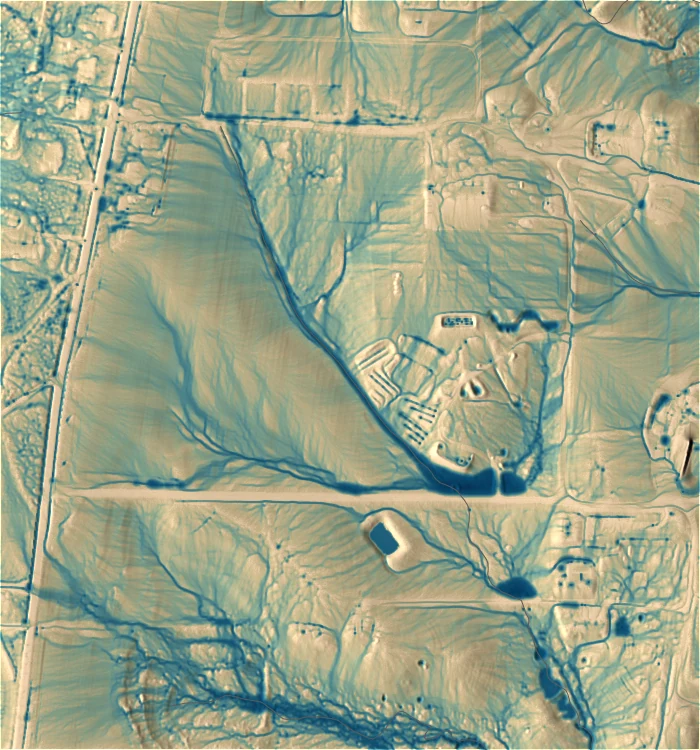
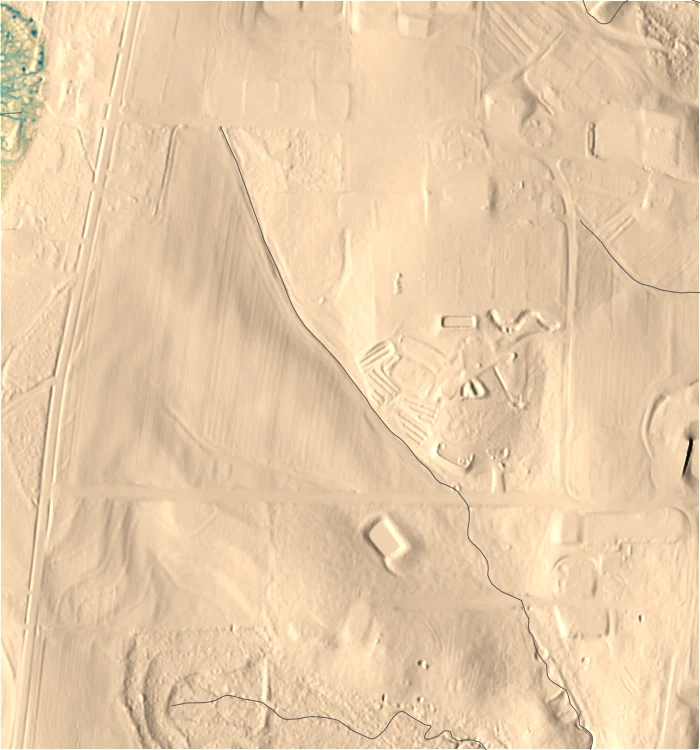
The three runs share one color table, with breaks spaced logarithmically because depth spans four orders of magnitude.
Show the figure code
rules = """0 226:197:164
0.002 191:172:131
0.008 127:154:132
0.03 77:128:131
0.12 39:99:120
0.45 10:70:103
2.1 3:42:76
nv 255:255:255
"""
for name in ["depth_noinfil", "depth_rosetta", "depth_ssurgo"]:
    tools.r_colors(map=name, rules="-", stdin=io.StringIO(rules))
    m = gj.Map(width=700, height=750, font=FONT)
    m.d_shade(shade="relief", color=name, brighten=50)
    m.d_vect(map="streams", color="90:90:90", width=1)
    m.show()

leg = gj.Map(width=1200, height=150, font=FONT)
leg.d_legend(raster="depth_rosetta", title="Water depth (m)", range=(0.001, 2.1),
             at=(30, 55, 6, 94), flags="stl", fontsize=20, title_fontsize=24)
leg.show()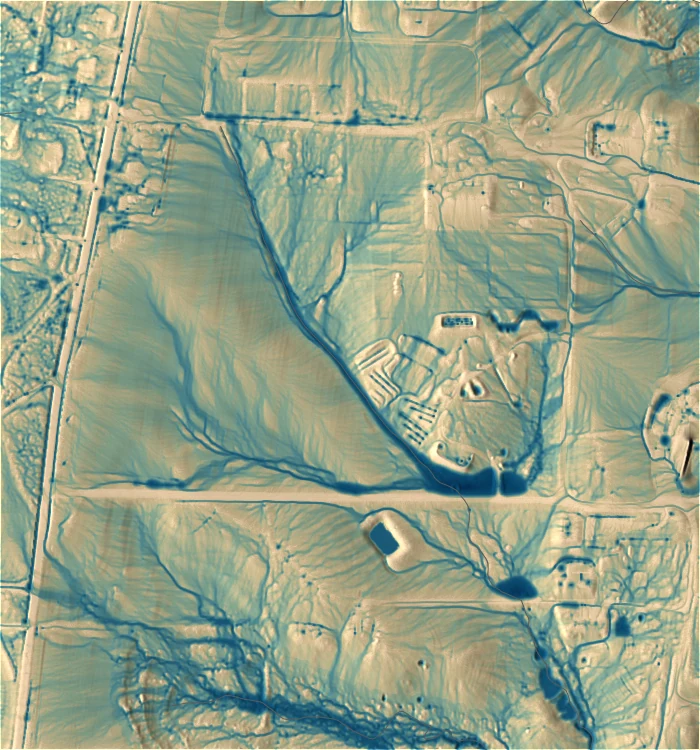

Show the table code
rows = []
for name in ["depth_noinfil", "depth_rosetta", "depth_ssurgo"]:
    s = tools.r_univar(map=name, format="json")
    rows.append({"run": name, "mean depth (mm)": s["mean"] * 1000, "total": s["sum"]})

pd.DataFrame(rows).round(3)| run | mean depth (mm) | total |
|---|---|---|
| depth_noinfil | 21.931 | 11513.7 |
| depth_rosetta | 18.509 | 9717.0 |
| depth_ssurgo | 0.071 | 37.3 |
ROSETTA infiltration against none
The ROSETTA field removed 15.6% of the surface water, dropping mean flow depth from 21.9 mm to 18.5 mm. We map the difference to see where it went.
Show the figure code
tools.r_mapcalc(expression="depth_diff = depth_rosetta - depth_noinfil")

# Red where infiltration removed water, blue where it added, tan at no change.
# Breaks are tight near zero because 95% of cells fall within a centimetre of it.
diff_rules = """-0.30 103:0:13
-0.08 178:24:43
-0.02 214:96:77
-0.005 240:160:110
-0.001 226:200:150
0 219:194:122
0.001 180:205:220
0.01 33:102:172
nv 255:255:255
"""
tools.r_colors(map="depth_diff", rules="-", stdin=io.StringIO(diff_rules))

with gs.RegionManager(s="s-150"):
    m = gj.Map(width=900, height=1157, font=FONT, use_region=True)
    m.d_shade(shade="relief", color="depth_diff", brighten=50)
    m.d_graph(stdin=io.StringIO(BLANK))
    # -0.05 to 0.01 covers 99% of cells; losses run to -0.30, so the clipped
    # end is labelled over the bar. label_values puts a tick on zero.
    m.d_legend(raster="depth_diff", title="Depth difference (m)",
               range=(-0.05, 0.01), at=(4, 9, 10, 90), flags="st",
               label_values=[-0.04, -0.03, -0.02, -0.01, 0, 0.01],
               digits=2, fontsize=18, title_fontsize=22)
    # the clipped end gets its own axis label in place of a plain -0.05
    m.d_text(
        text="< -0.05", at=(10, 2.29), align="cc",
        color="black",
        size=2.1,
        font=FONT
        )
    m.show()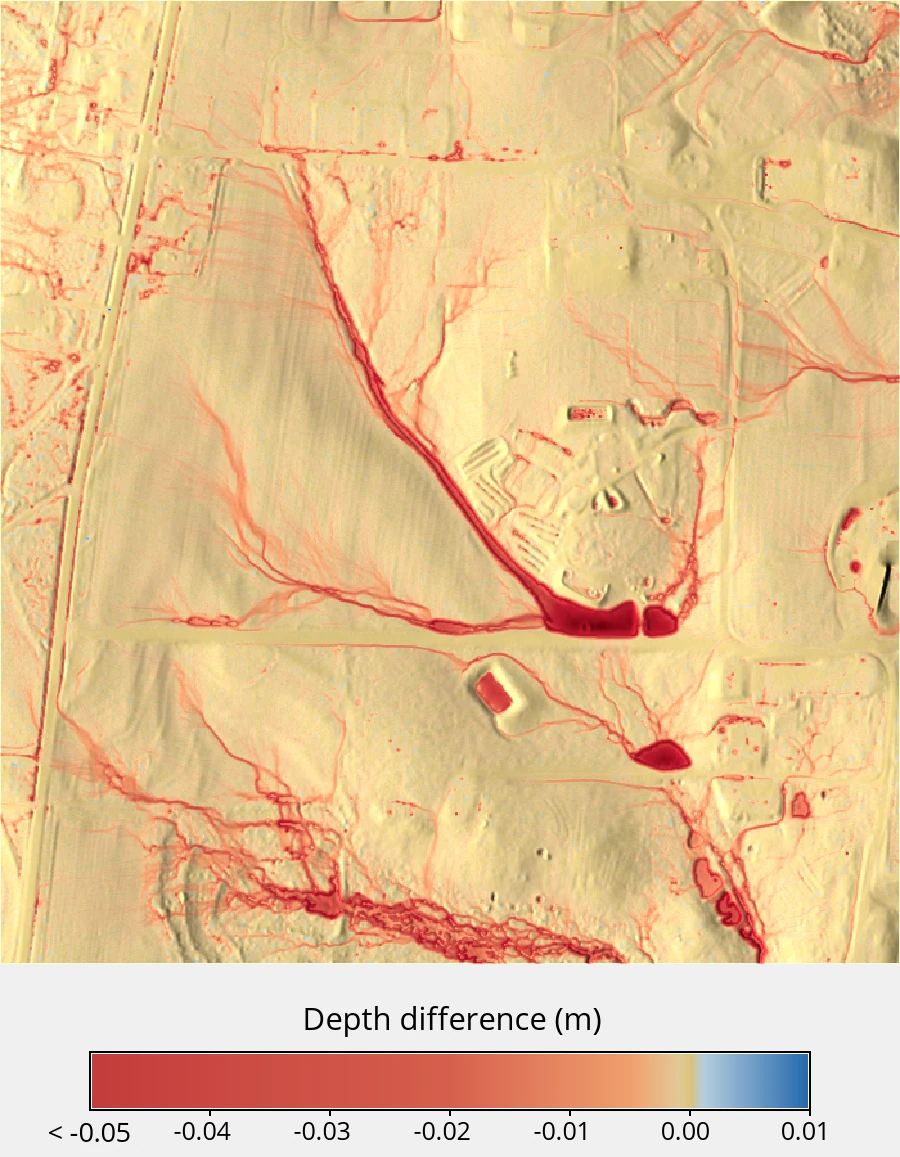
Show the table code
stats = tools.r_univar(map="depth_diff", format="json")
pd.DataFrame(
    [{key: stats[key] for key in ["min", "max", "mean", "stddev"]}]
).round(4)| min | max | mean | stddev |
|---|---|---|---|
| -0.2984 | 0.0096 | -0.0034 | 0.0122 |
The loss is concentrated where water collects. Cells in the ponds and the main drainage line drop by up to 30 cm, while the sheet flow over the plots loses almost nothing, since a cell only infiltrates from the water crossing it.
NoteThe spatial pattern matters less than the level
The seven SSURGO map units at this site span only 6.8 to 13.2 mm/hr, a standard deviation of 0.7 mm/hr. Swapping that field for its own site mean of 12.4 mm/hr moves mean flow depth by about one tenth of one percent.
ROSETTA Ksat compared to SSURGO Ksat
The SSURGO-driven run left 37 units of water on the surface against the ROSETTA run’s 9717, a factor of 260. SSURGO’s representative conductivity averages 99.8 mm/hr while the storm delivers 54 mm/hr, so infiltration keeps pace with rainfall across most of the site and only the wettest corner generates any flow depth.
Adding a soil-derived infiltration field to the model changed the result by 16%. Choosing between two published estimates of that soil property changed it by two orders of magnitude. Deciding between them requires a field measurement of conductivity at the site.
Assumptions and limitations
- Depth averaging over the top 25.4 cm discards horizon structure, and because ROSETTA is nonlinear the estimate is not equivalent to a per-horizon calculation.
- Ksat is the conductivity of an already saturated soil, and
infilholds it constant for the whole run. Dry soil takes water faster than that, so these runs understate infiltration and overstate runoff early in the storm. - Manning’s n values are assigned by land cover class from published tables rather than calibrated at this site.
- None of the runs are validated against observed discharge at SECREF, so the comparisons describe model sensitivity rather than model accuracy.
Summary
We derived a spatially varying infiltration field from a soil survey and used it to drive an overland flow simulation:
r.in.ssurgoconverts SSURGO map units into depth-weighted texture rasters, over the SDA web service for small areas or from a local archive for large ones.r.soils.rosettaapplies the ROSETTA pedotransfer model to those rasters and writes saturated hydraulic conductivity in the unitsr.sim.waterexpects.r.sim.watertakes that conductivity as itsinfilinput.
At this site, adding a soil-derived infiltration field removed 16% of the surface water, while exchanging one published conductivity estimate for another changed it by a factor of 260. At this site the magnitude of Ksat matters more than its spatial pattern of overland flow.
See also
- r.in.ssurgo
- r.soils.rosetta
- r.sim.water
- Parallelization of overland flow and sediment transport simulation
- SIMWE Soils Project, the NRCS work this workflow comes out of [7], with the same workflow at catchment scale for Coweeta, NC and Clay Center, KS
- SECREF sample dataset on Zenodo
References
[1]
Martinus Th. van Genuchten. 1980. A closed-form equation for predicting the hydraulic conductivity of unsaturated soils. Soil Science Society of America Journal 44, 5 (1980), 892–898. https://doi.org/10.2136/sssaj1980.03615995004400050002x
[2]
Lubos Mitas and Helena Mitasova. 1998. Distributed soil erosion simulation for effective erosion prevention. Water Resources Research 34, 3 (March 1998), 505–516. https://doi.org/10.1029/97WR03347
[3]
Helena Mitasova, Chris Thaxton, Jaroslav Hofierka, Richard McLaughlin, Amber Moore, and Lubos Mitas. 2004. Path sampling method for modeling overland water flow, sediment transport, and short term terrain evolution in Open Source GIS. In Developments in Water Science. Elsevier, 1479–1490. https://doi.org/10.1016/S0167-5648(04)80159-X
[4]
Anna Petrasova. 2026. GRASS sample dataset for SIMWE model, NC State University Sediment and Erosion Control Research and Education Facility, North Carolina, USA. https://doi.org/10.5281/zenodo.23017720
[5]
Marcel G. Schaap, Feike J. Leij, and Martinus Th. van Genuchten. 2001. Rosetta: A computer program for estimating soil hydraulic parameters with hierarchical pedotransfer functions. Journal of Hydrology 251, 3 (October 2001), 163–176. https://doi.org/10.1016/S0022-1694(01)00466-8
[6]
Soil Survey Staff, Natural Resources Conservation Service, United States Department of Agriculture. Soil Survey Geographic Database (SSURGO). Retrieved from https://www.nrcs.usda.gov/resources/data-and-reports/soil-survey-geographic-database-ssurgo
[7]
Corey T. White, Anna Petrasova, and Helena Mitasova. SIMWE Soils Project. Retrieved from https://ncsu-geoforall-lab.github.io/NRCS_SIMWE/
[8]
Yonggen Zhang and Marcel G. Schaap. 2017. Weighted recalibration of the Rosetta pedotransfer model with improved estimates of hydraulic parameter distributions and summary statistics (Rosetta3). Journal of Hydrology 547, (April 2017), 39–53. https://doi.org/10.1016/j.jhydrol.2017.01.004